Retrospectives
Retrospectives are AI-powered summaries that analyze standup trends over multiple days or weeks. While daily reports focus on a single day’s updates, retrospectives look at the bigger picture - identifying recurring blockers, tracking progress toward goals, and highlighting patterns across the team.
What’s in a Retrospective
A retrospective includes:
Period - the date range covered (e.g., “Mar 3 - Mar 14, 2026”) and how many daily standups were analyzed
AI analysis - a multi-paragraph summary that identifies trends, recurring blockers, achievements, and team patterns over the covered period
Aggregated stats - total submitted, skipped, and missed updates across all daily reports in the period
The AI uses your team’s project context (if set) to provide more relevant analysis.
On-Demand Retrospectives
Who can do this: Team admins
Use /daylee retro or select Retrospectives from the team overflow menu in the App Home.
When you generate a retro, Daylee:
Collects all daily report summaries from the period since the last retrospective (or the last 1-4 weeks if no previous retro exists)
Shows you the period and number of daily reports that will be analyzed
Lets you choose how to receive the result:
Preview first - Daylee sends the retro to you as a DM so you can review it before sharing
Post directly to channel - the retro is posted immediately to the team’s report channel
From the preview, you can click Post to Channel to share it with the team, or close it to discard.
Scheduled Retrospectives
Who can do this: Team admins
Admins can configure automatic retrospectives that run on a recurring schedule.
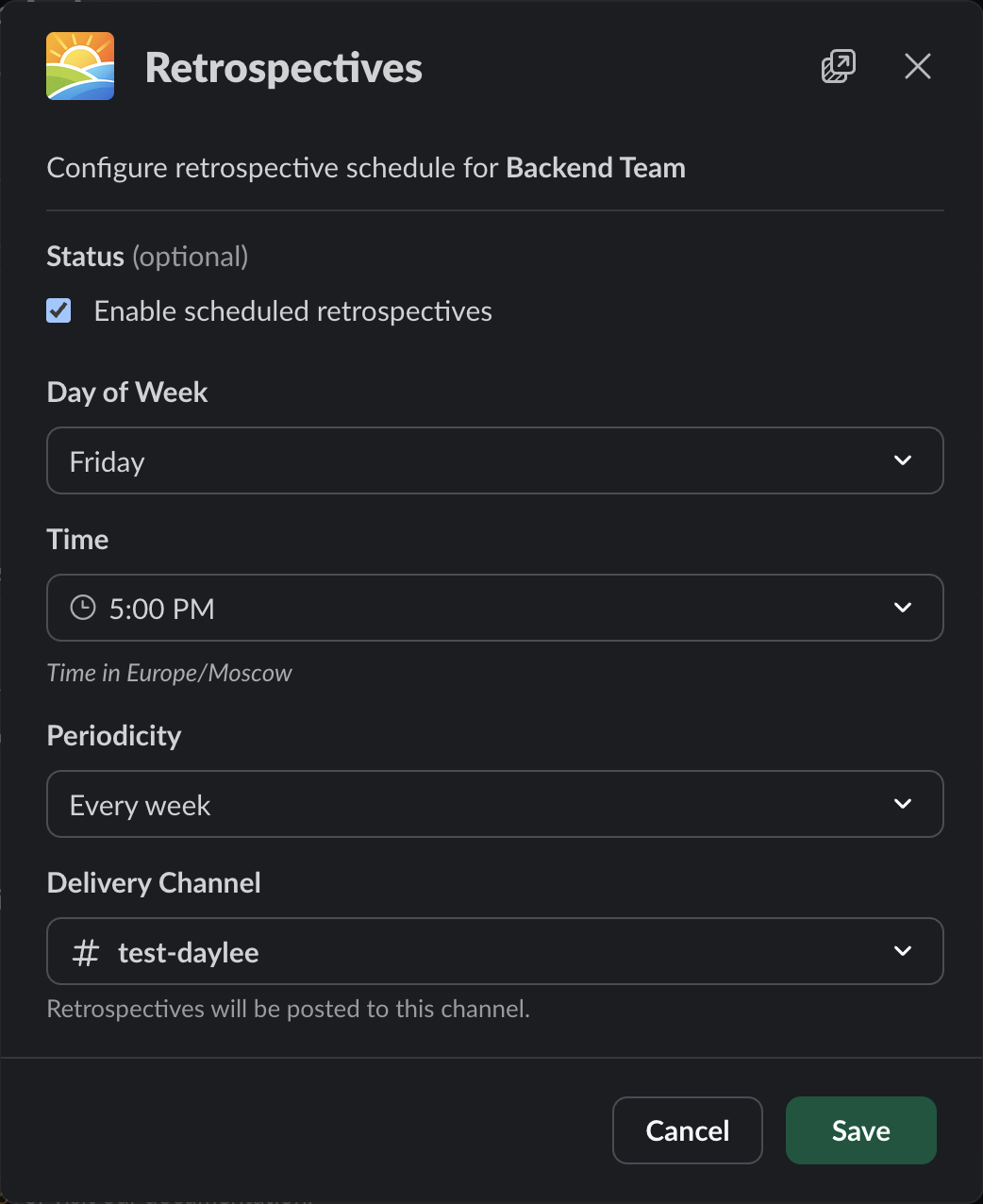
Team retrospectives settings.
To set up a schedule, select Retrospectives from the team overflow menu in the App Home, then configure:
Enable/disable - toggle scheduled retrospectives on or off
Day of week - which day the retro is generated (default: Friday)
Time - what time the retro is generated (default: 5:00 PM, in the team’s timezone)
Periodicity - how often retros are generated:
Every week
Every 2 weeks
Every 3 weeks
Every 4 weeks
Delivery channel - where the retro is posted
Scheduled retrospectives are posted automatically to the configured channel. They cover the period since the last retrospective.
Plan Requirements
Retrospectives are available on Pro and Enterprise plans. The Free and Standard plans do not include retrospectives.
During the 14-day free trial, retrospectives are available since the trial grants Pro-level access.